
One of our tasks as SharePoint developers is SharePoint Apps development. It's recommended approach by Microsoft when we create solutions for Office 365 and to do this we need to turn on a Developer Site in Office 365. For this purpose, Microsft provides us Office 365 Developer Subscription, and there we can create site collections, base on “developer site collection” template. Sometimes we have to work on standard site, but when we check SharePoint site settings there's no feature to turn on Developer Site in Office 365. Of course, it's very easy to do this if we run SharePoint on-premise, but in the case of a cloud environment, it's not so easy. Or rather I should wrote it wasn't... A few days ago I was looking for a solution to some problem and I discovered a great project on CodePlex, called SharePoint Client Browser for SharePoint 2010 and 2013. After download, we get a browser of our site and after logging on we can see all possible features:
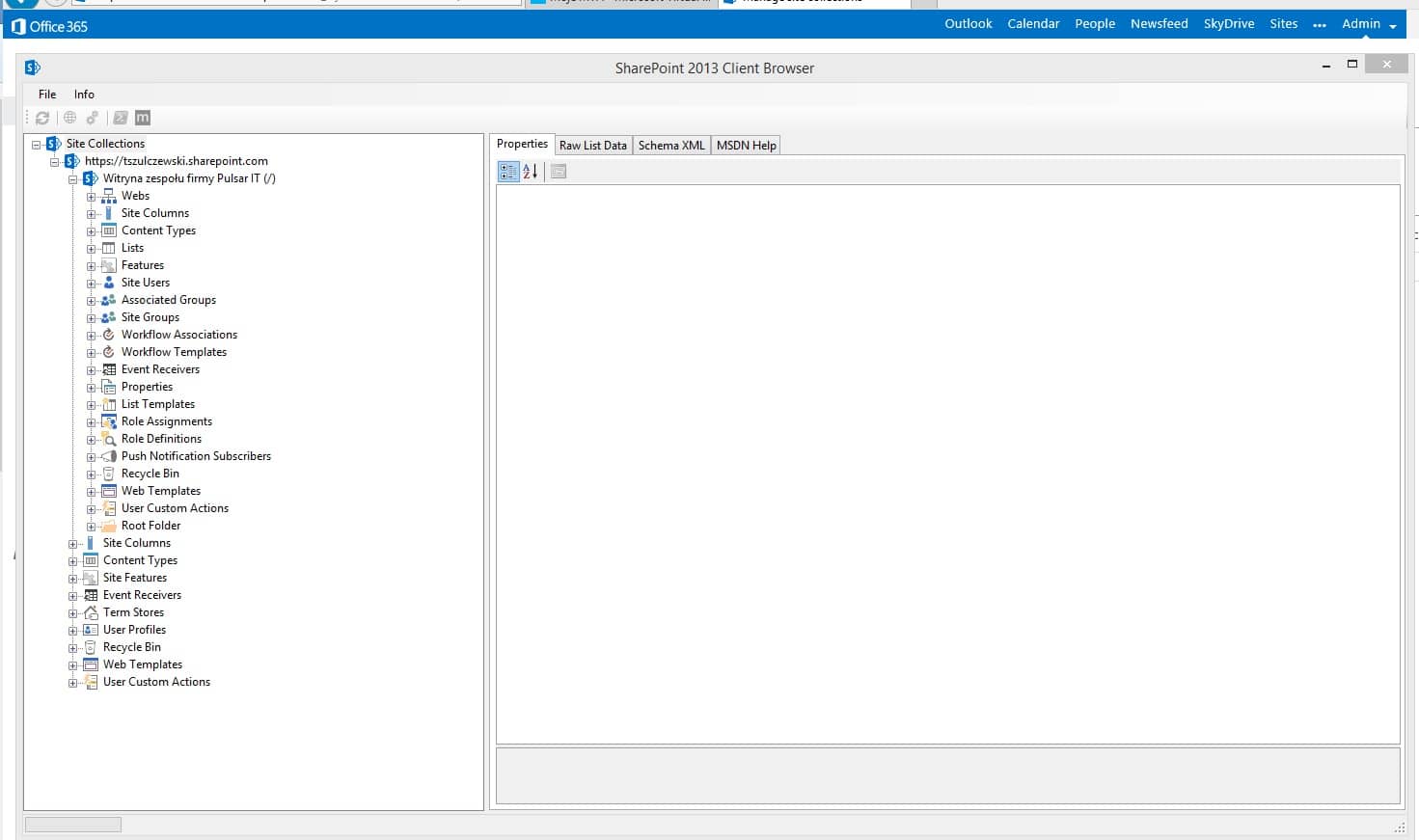
As you can we have all possible information in one place. And now something awesome. If you click with right mouse button on your site name, you will see option to run PowerShell with CSOM. That's right!
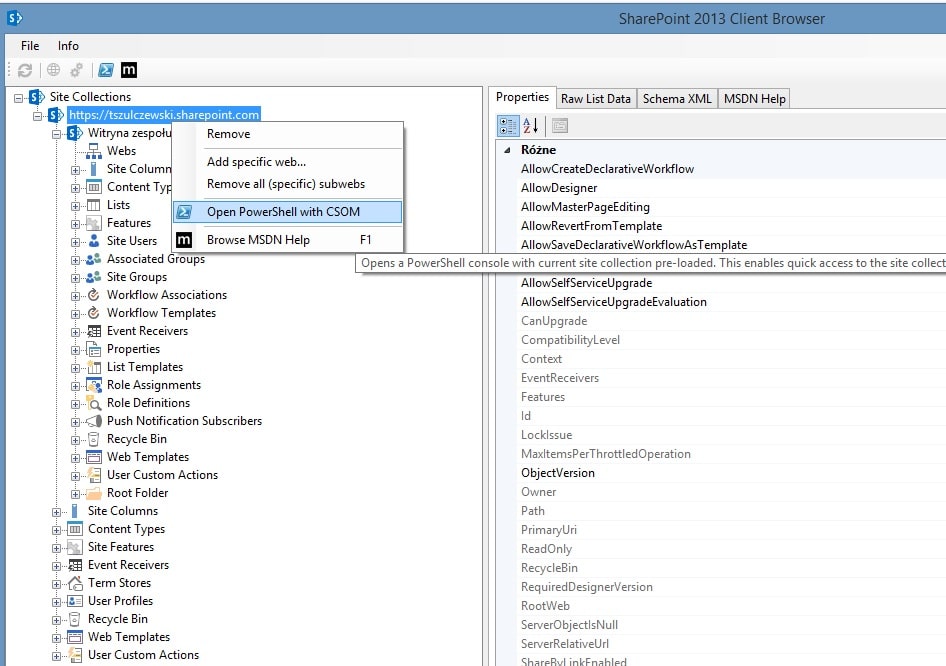
Let me say it's so simple to run PowerShell against Office 365 site... And let go back to our developer site. When we start PowerShell consoler for the first time we will get a couple of information about a few available parameters to use:
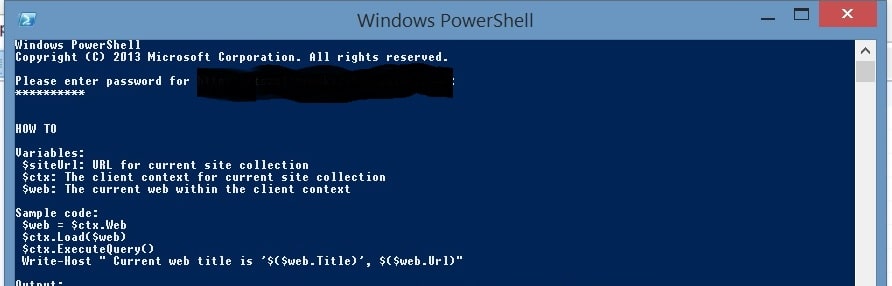
Now with this information we can just wrote a few lines of code:
$ctx.Load($ctx.Site);
$ctx.ExecuteQuery();
$guid = [System.Guid]"e374875e-06b6-11e0-b0fa-57f5dfd72085"
$ctx.Site.Features.Add($guid,$true,[Microsoft.SharePoint.Client.FeatureDefinitionScope]::None)
$ctx.ExecuteQuery();
Small remark. That GUID is provided by Microsoft and it's linked to Developer Site in Office 365.

Hi Sir, after enabled Developer Site Collection feature the site will having a few additional quick link for e.g “Developer Center, Samples” and default homepage will be set to DevHome.aspx. When I disabled the features, the site default page and quick link will be remain as is. How do I remove the links and default homepage as previous?
You can go site settings and update links in the navigation section.
Can we remove the additional link and DevHome.aspx using CSOM or is it possible to block this link and site Dev Home as a default pge? I think It will be tedious to remove it manually
For example:
https://community.spiceworks.com/topic/1923643-remove-site-contents-link-from-sharepoint-online