
Today I would like to write a few words how we can use App permission in SharePoint online. This topic is very interesting as also very useful. It allows us to make a lot of things with our tenant without direct login in Office 365 login page. Do you remember my post about geolocation? When you take a look on the code you will see that I used user name and password with clear text. Of course it could be fine in some situation, but in general we should avoid this. So the question is what we can do? How to remove user name and password from our application?
The best solution for this problem is to use App permission. With this approach our application will use tokens, which provide us much better security level. To do start we have to generate Client Id and Client Secret with following URL in our tenant:
URL: https://[tenant].sharepoint.com/_layouts/15/appregnew.aspx
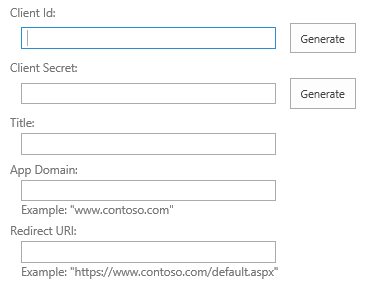
Press Generate button. We will get two strings which will allow our application to authenticate with tokens. In Title field we enter name of our application.We should use something more than "my app" as in the future it could be difficult to remember purpose of the application. App domain should use localhost, and Redirect URI should have URL of our tenant. That's the first step. After token generation we have to setup permission for our app. We can do this at following URL: /layouts/15/appinv.aspx. We enter following XML structure:
[code lang="XML"]
 <AppPermissionRequests AllowAppOnlyPolicy="true">
 <AppPermissionRequest Scope="http://sharepoint/content/tenant" Right="FullControl" />
 </AppPermissionRequests>
[/code]
How to use it App permission in SharePoint online
So it's time to use our knowledge in real world. Let's create simple console application. Next in the NuGet Package Manager we should look for something called AppForSharePointWebToolkit. Install it.
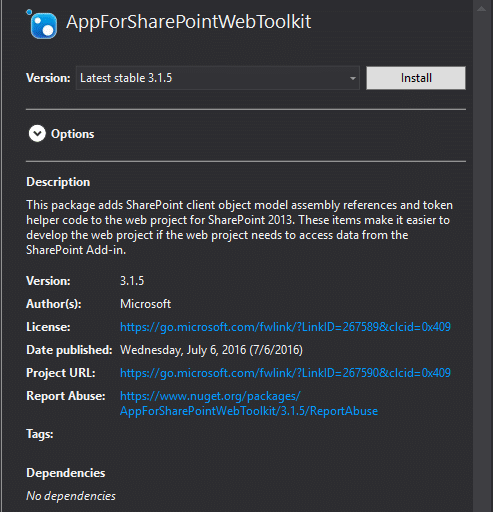
After package installation we will get some references to Microsoft.SharePoint.Client.* and plik App.config, which is our next target. Let's open it and add new section appSettings with our keys ClientId and ClientSecret. We put there our keys which we generate before. In our case it looks like this:
[code lang="XML"]
<add key="ClientId" value="28921286-09f3-4bce-819a-4e53a12dabb6"/>
 <add key="ClientSecret" value="HOaS7LQbBi8QYU/1x67Bdae38qJh79qt+LY4IoLcQHM="/>
 <add key="ClientSettingsProvider.ServiceUri" value="" />
 [/code]
The last piece is new using statement in our code using Microsoft.SharePoint.Client; . And that's all . In my cases I prefer to use additional class which has only one purpose - to return only clientContext for single URL, just like below:
[code lang="csharp"]
public static ClientContext GetClientContext(string siteUrl)
{
         Uri siteUri = new Uri(siteUrl);
         string realm = TokenHelper.GetRealmFromTargetUrl(siteUri);
         string accessToken = TokenHelper.GetAppOnlyAccessToken(TokenHelper.SharePointPrincipal, siteUri.Authority, realm).AccessToken;
         var clientContext = TokenHelper.GetClientContextWithAccessToken(siteUri.ToString(), accessToken);
         return clientContext;
}
 [/code]
As a result we will get clientContext, so then do whatever we want in our tenant.



0 Comments