
Checking for a NULL Date Field in SharePoint Designer Workflow it can’t be done with some strict operation. I create workflow for SharePoint online with SharePoint designer 2013. It’s nothing fancy, many of us making such things, but finally I faced problem without solution. Client wants to limit direct operation on Workflow task list. If the item has been updated in proper way task should be mark as complete by workflow itself. It’s easy to achieve with Visual Studio, there’s on element “workflow item change”, but how to do this with SharePoint designer? Well, it’s not so difficult, we can use list action ”Wait for Field Change in the Current Item”. It works.
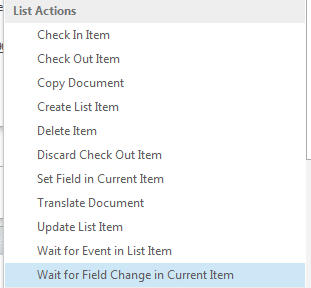
We will have a problem when the field is date type. Default behavior for this action is that field has to be equal specific value, but there’s no condition for “is not null”. So what to do? I’ve seen many complicated solutions, but I prefer something simple. So here’s…
The SharePoint designer 2013 finally has loop option. It’s very useful and for example if you write workflow with visual studio you probably used it. Anyway we need declared variable to exit the loop. So let’s create one:
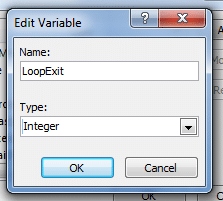
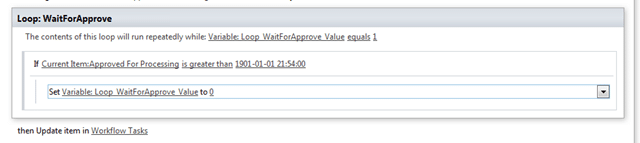
And in first step of the workflow let’s initialize it with value equal 1. Now we have to add loop step. We have two possible loops, one of them runs n times and the second one runs until condition is true. We will use the second one. As you can see I use workflow variable which equals 1 and until it will be equal 1 it will run. Now the loop waits until date field will be greater than 1901-01-01, which in my case means that user enter new date to the field. When it will happen also loop exit variable will be set to 0, which create condition to exit the loop.
[adblockingdetector id=”5770e6ed85560″]
And finally we can mark task as complete.



0 Comments