
SharePoint App without coding? Is that even possible? If you are a SharePoint person I am sure that you heard about Apps. What are apps? Microsoft's short explanation states that Apps are mini-applications that extend what you can do with the new version of Office and SharePoint 2013. For example, with apps you can use Wikipedia without leaving Word or get directions and maps right in Outlook. Apps are available for Word, Excel, Outlook, Project, PowerPoint, and SharePoint 2013.
I am not a big fan of them, as I prefer sandbox solutions, but I have to admit that If you want to create solutions for Microsoft cloud sooner or later you will use them. Anyway It will take some time to learn how to create them, but please let me show you how to create a powerful App for SharePoint without code. To do this we will use great possibilities of the new Access version. So let's start.
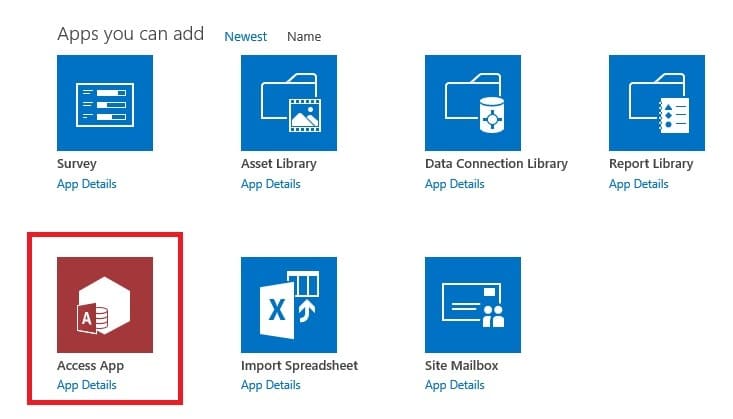
At the first step we have to create Access App on our SharePoint site
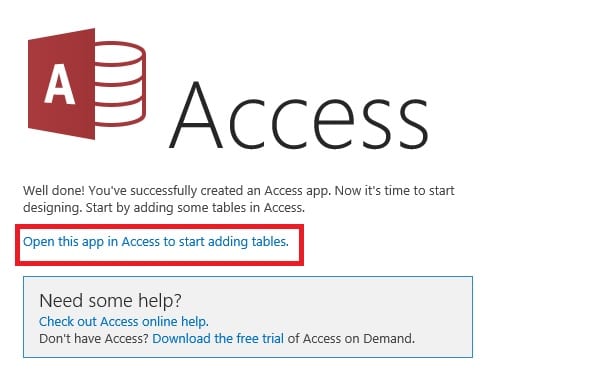
Now it's time to start the customization of our solution. When your Access application will be created select "Open this app in Access to start adding tables."
When you provide your Office 365 credential you will see empty project in your local Access installation. You will have then a lot of options. You can build your app base on existing data sources.

And other great possibility are existing templates. Let's check what we get when we enter "sell" word into search templates box.
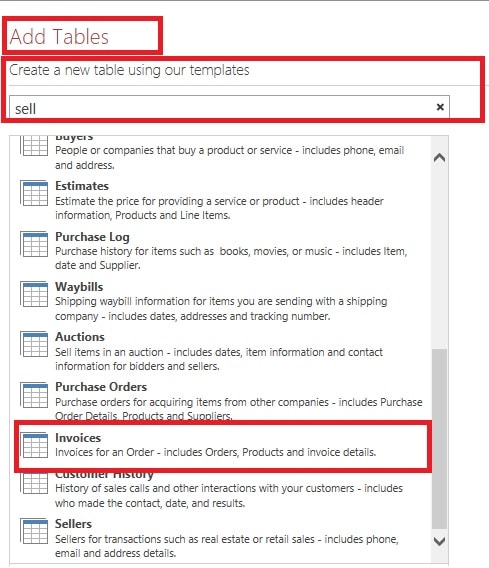
As you can see we get a lot of possible templates. Ok, let's select "Invoices" template. We have wait a few seconds when Access will make our configuration. and then we will see ready to use application - SharePoint App without coding! Let's see. As you can see below Access created for us a couple of tables and forms. Everything is ready to use. Also, when you display for example "product" table, you will see that even relation between tables "product" and "supplier" has been set. Isn't awesome?
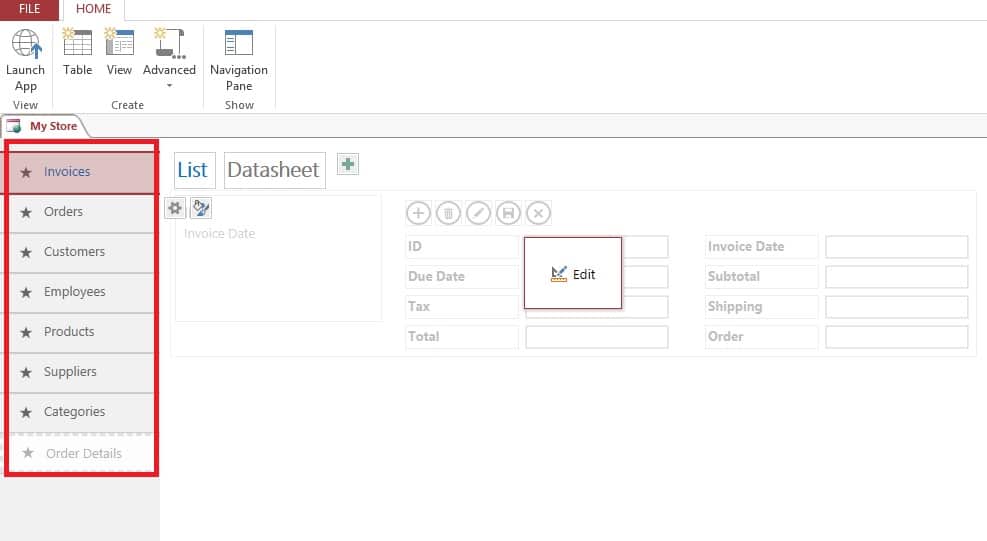
Now just save and you can press button "Launch app". You will be taken back into your SharePoint site and you can start using your SharePoint App without coding 🙂 . There's also another great feature which I have to mention about. When you work with Access you can go to "File" menu and there is an option "Save as Package" in "Save as" menu.
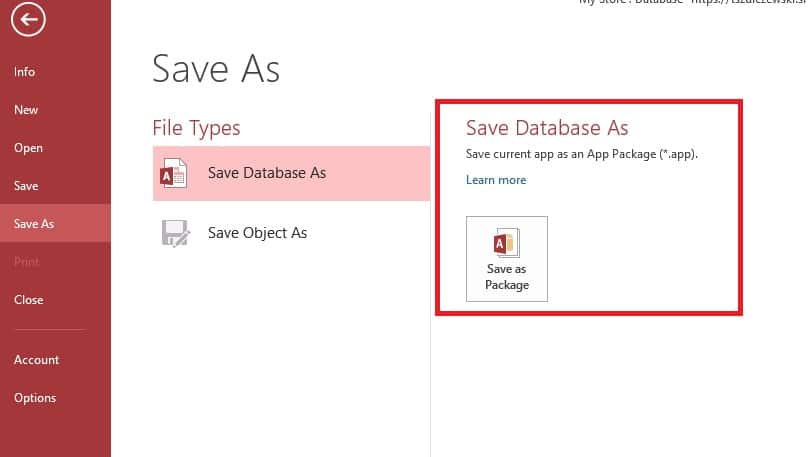
With this simple option, you can easily move your SharePoint App to another site.
This example looks simple, but in many cases, it will be absolutely enough to meet all business requirements. Please note that this application is really fully functional and it will not require any developer skills! But of course, if you want you can make very easy some modifications to the app - I will show you this soon in my next post.
Do you like this you can check the post related to SharePoint or office 365 development:


hi , i have a question: does it works just with SQL Server 2012 and later ? i got an error : No database servers are available for create (After image No.1 of your post). i searched for the reason and may be it’s because of SQL Server (mine is 2008 R2)
Hi,
I guess that you want to run the app on premise SharePoint installation. Am I right? So first of all, do you have configured “Access Services” in your SharePoint installation? Please remember that you need Enterprise version to make this example or SharePoint online. Please check version comparison at http://technet.microsoft.com/en-us/library/jj819267.aspx